The PlayStation 5 is a powerful console, but all that performance creates heat. Over time, dust, pet hair, and other debris can collect around the vents, cooling fan, and internal airflow channels. When that buildup becomes heavy enough, your PS5 may run louder, feel hotter, slow down during demanding games, or shut off unexpectedly.
iColor offers professional PlayStation 5 cleaning services at our Middletown and Wilmington locations. Whether your console needs routine maintenance or you are concerned about overheating, our experienced technicians can clean it properly and check for signs of a larger problem.
Why Does a PS5 Need to Be Cleaned?
Your PS5 constantly pulls air through the console to control the heat created by the processor and other internal components. That same airflow also draws in dust from the room. Homes with pets, carpeting, smoking, construction dust, or consoles placed close to the floor may experience buildup more quickly.
Dust does not remain only on the outside vents. It can collect on the fan and inside the cooling system where a quick wipe or burst of canned air cannot reach it. As airflow becomes restricted, the fan may need to work harder to keep the system cool.
Professional cleaning removes buildup from the areas that matter most while avoiding the damage that can occur when a console is opened or cleaned incorrectly.
Signs Your PlayStation 5 May Need Cleaning
It may be time to have your PS5 cleaned if you notice any of the following:
The fan has become noticeably louder
The console feels unusually hot
The system displays an overheating warning
Games freeze or the console shuts down during play
The PS5 turns off during demanding games but works again after cooling down
Dust is visible around the vents or fan
The console has not been cleaned in several years
The system is used in a home with pets, heavy dust, or smoke
A dirty cooling system is a common cause of heat-related trouble, but it is not the only possibility. A damaged fan, power supply issue, poor ventilation, or another hardware problem can produce similar symptoms. If cleaning alone will not solve the problem, the iColor team can explain what we find and recommend the appropriate next step.
What Is Included in a Professional PS5 Cleaning?
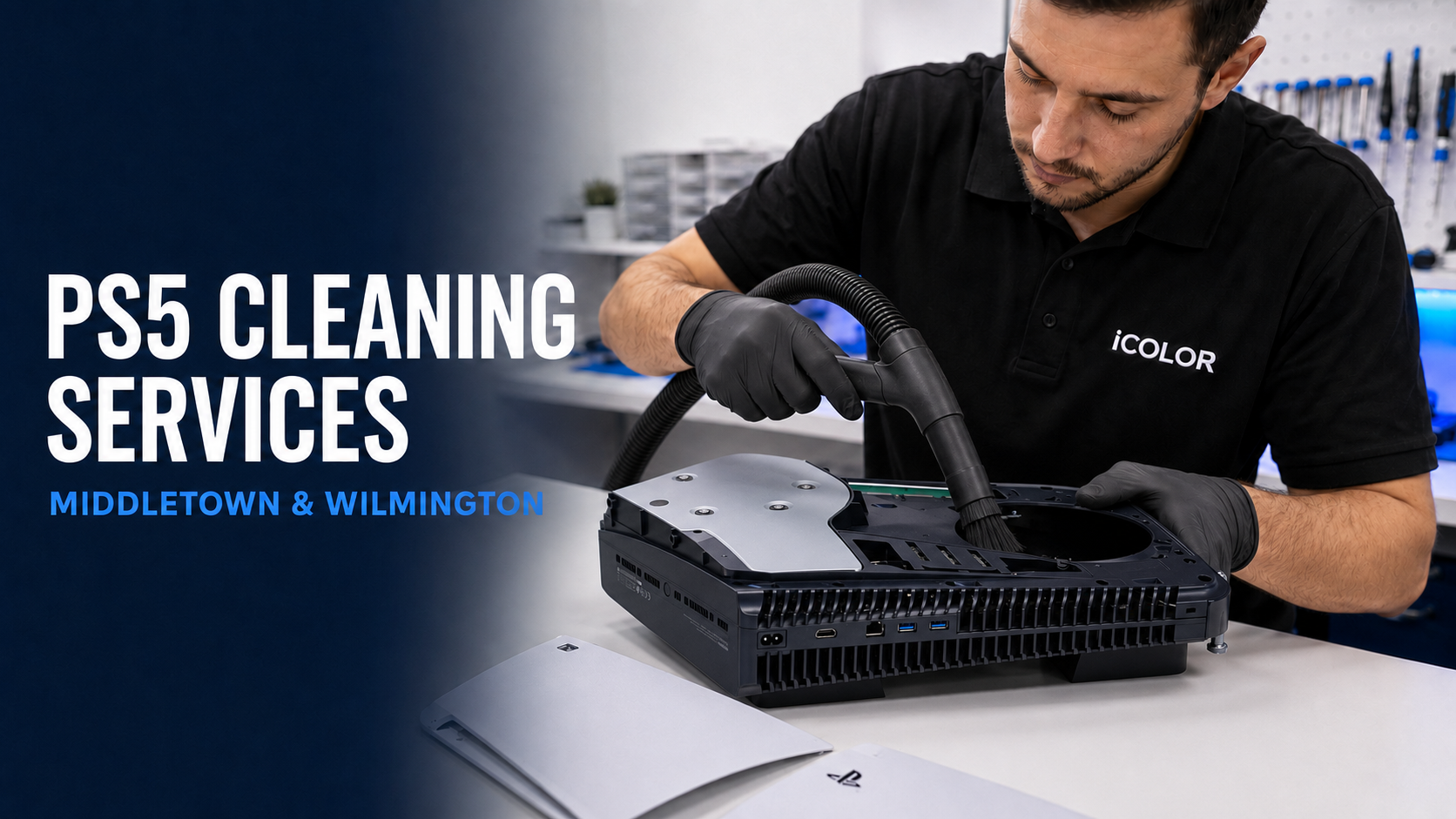
Our technicians carefully access the console and clean dust and debris from the cooling areas that are difficult to reach from the outside. Depending on the condition of the system, the service may include cleaning the exterior vents, fan, internal air passages, and accessible cooling components.
We then reassemble the console and check its basic operation. If we see evidence of a failing fan, damaged port, liquid exposure, pest contamination, or another concern, we will let you know. Our goal is not simply to make the outside look better. It is to restore cleaner airflow and give you an honest assessment of the console’s condition.
The exact cleaning process may vary based on the PS5 model and the amount of buildup inside the system.
Benefits of Having Your PS5 Professionally Cleaned
Better Airflow and Cooling
Removing dust from the fan, vents, and internal airflow path allows the cooling system to move air more effectively. Better airflow helps the console manage heat during long gaming sessions and graphically demanding games.
Less Fan Noise
A dusty system may force the fan to work harder. Cleaning can reduce noise when buildup is the cause. If the fan remains loud afterward, that may point to wear or damage that requires a separate repair.
Fewer Heat-Related Shutdowns
Some PS5 systems shut off when they become too hot or when internal components cannot cool properly. A thorough cleaning may help when dust restriction is responsible. Because unexpected shutdowns can also come from power or hardware faults, professional inspection is especially helpful when the problem keeps returning.
Longer Console Life
Excessive heat places additional stress on electronic components. No maintenance service can guarantee how long a console will last, but keeping the cooling system clean is one of the most practical ways to reduce unnecessary heat and help protect your investment.
Early Detection of Other Problems
Opening a heavily used console can reveal concerns that are not visible from the outside. A technician may spot a damaged fan, loose connection, corrosion, contamination, or signs that the system needs a different repair. Finding those issues early can prevent repeated overheating or a more serious failure later.
Safer Than DIY Cleaning
Online videos can make PS5 cleaning appear simple, but it is easy to strip a screw, damage a connector, break a fan wire, push dust deeper into the console, or use the wrong cleaning equipment. The PS5 also uses a specialized thermal design that should not be disturbed casually. Professional service gives you a deeper cleaning without turning routine maintenance into an expensive repair.
How Often Should a PS5 Be Cleaned?
There is no single schedule that fits every home. A PS5 used occasionally in a clean, open area may go longer between cleanings than a console that runs every day near the floor or in a home with pets.
As a general habit, keep the area around the system clean and inspect the exterior vents regularly. Consider professional cleaning when you see significant dust, hear increased fan noise, experience heat-related symptoms, or know the console has accumulated several years of regular use.
Ways to Help Your PS5 Stay Cleaner
After your cleaning service, a few simple habits can slow down future buildup:
Keep the console in an open area with room around the vents
Avoid placing it directly on carpet or close to the floor
Do not enclose it in a tight entertainment cabinet while it is running
Dust the surrounding surface regularly
Keep smoke and airborne debris away from the system
Never block the intake or exhaust vents
Power the console off before cleaning around it
Avoid blowing high-pressure air into an assembled console without controlling the fan or knowing where the debris will go. This can push dust farther inside and may damage delicate components.
PS5 Cleaning and Repair in Middletown and Wilmington
iColor provides PlayStation 5 cleaning and repair services for customers throughout New Castle County and the surrounding Delaware communities. You can bring your console to our Middletown location or our Wilmington location for professional service from a local team that works on game consoles every day.
In addition to maintenance cleanings, iColor can help with common PS5 problems such as overheating, no-power issues, damaged HDMI ports, display problems, and other hardware concerns. If you are unsure whether your system needs cleaning or repair, bring it in and explain what the console has been doing. We will help determine the right service instead of guessing.
Give Your PS5 the Maintenance It Deserves
You rely on your PlayStation 5 for gaming, streaming, and entertainment. Do not wait for severe overheating or repeated shutdowns before paying attention to the dust inside it.
Bring your PS5 to iColor in Middletown or Wilmington for professional cleaning and an honest evaluation. Our technicians will clean the console carefully, check for other visible concerns, and help you get back to gaming with confidence.
Contact your nearest iColor location today to ask about PlayStation 5 cleaning service or bring your console in for help.